Build slides, not formatting
Pick a layout and add text, charts and tables. Your deck style keeps every slide consistent.
 CohesiveDocs
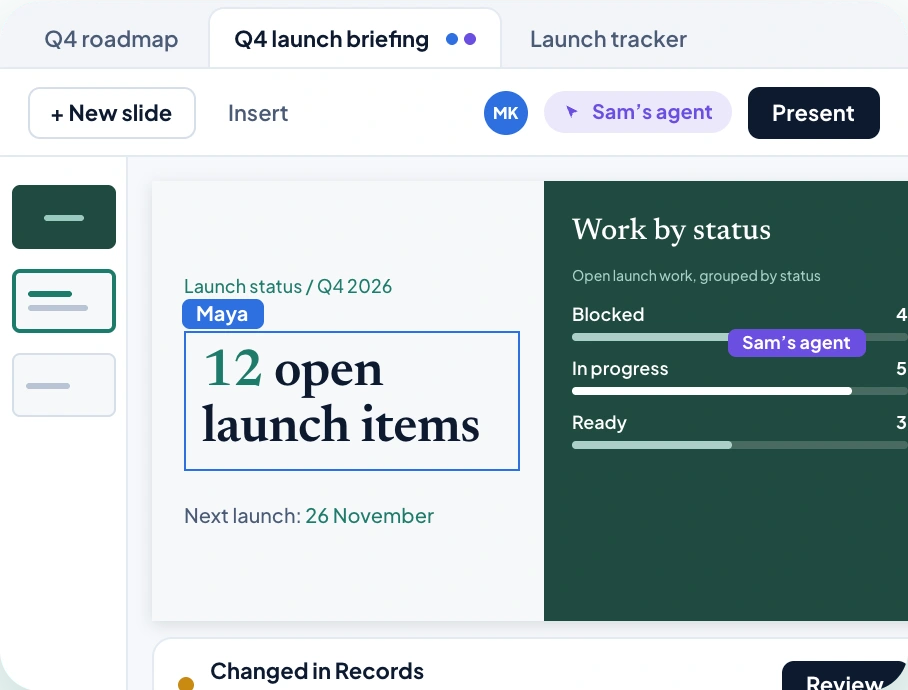
Start from a layout, add charts that read from your records, and present with notes only you can see.
Start free trial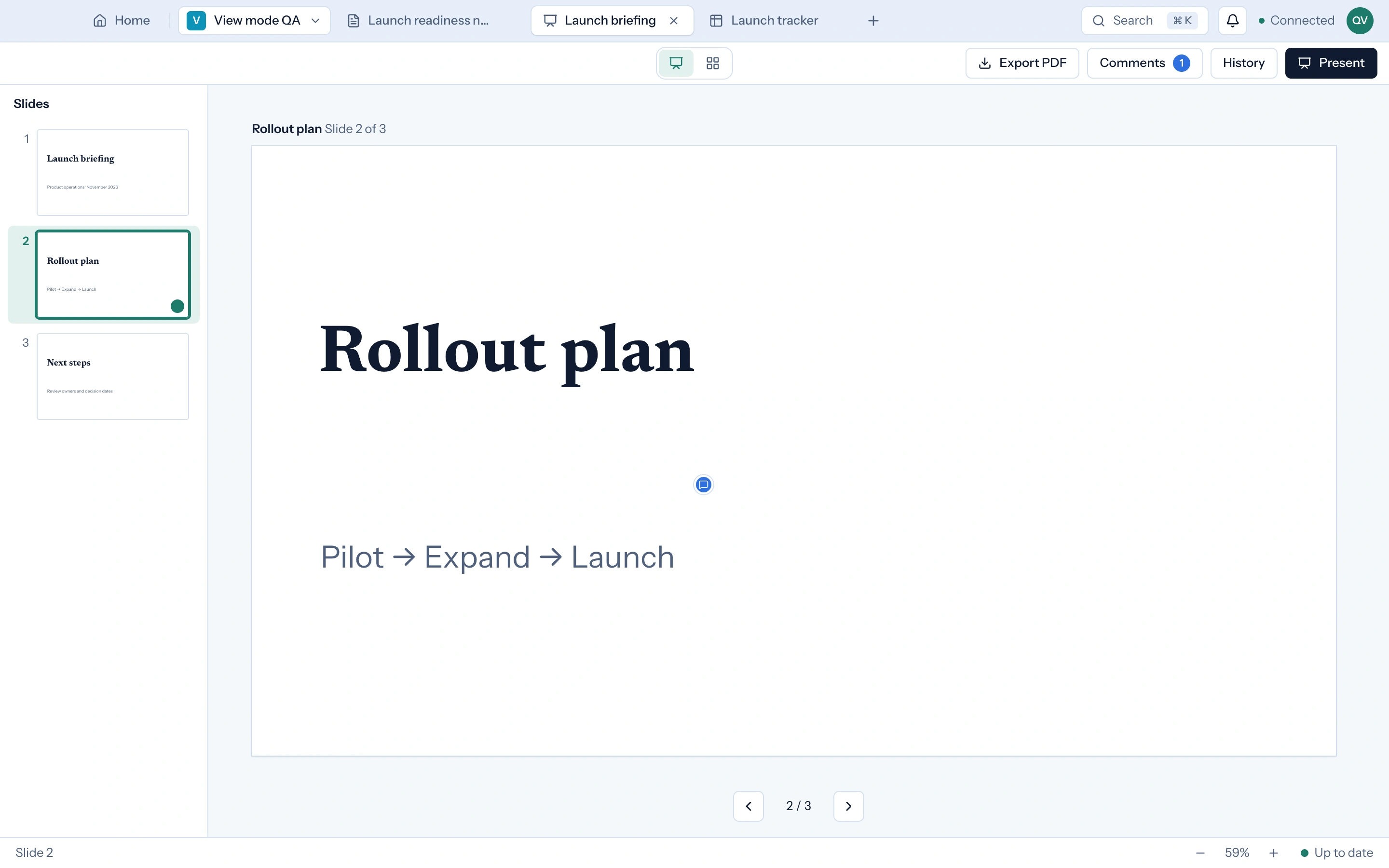
Build from your own records, review changes, then present.
Pick a layout and add text, charts and tables. Your deck style keeps every slide consistent.
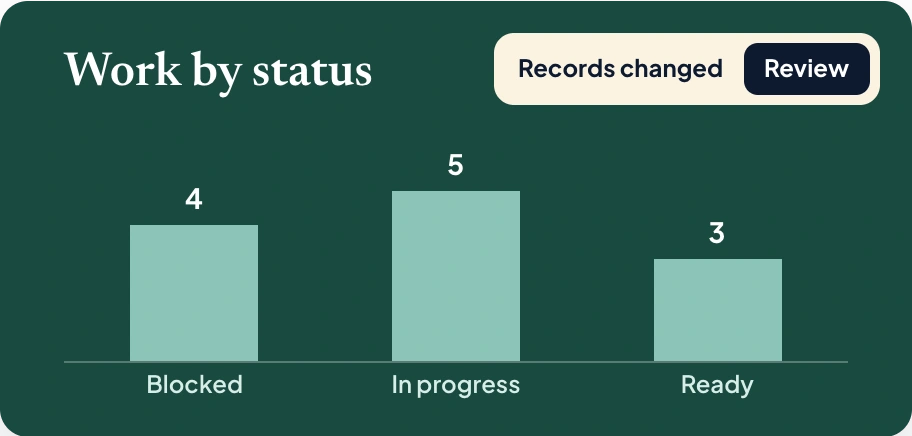
Numbers come from your records. When the data changes, you review the update first.
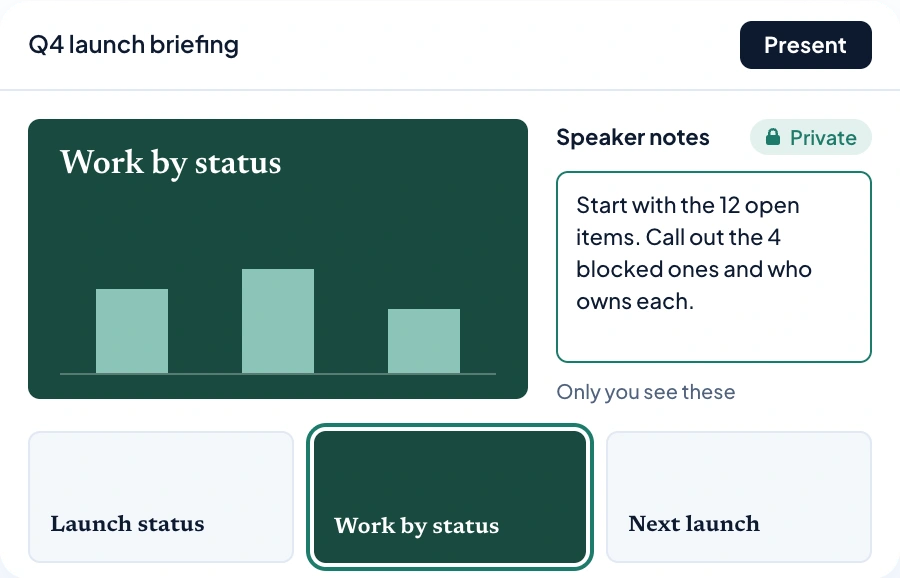
Your notes show next to the slide while you present. The audience never sees them.
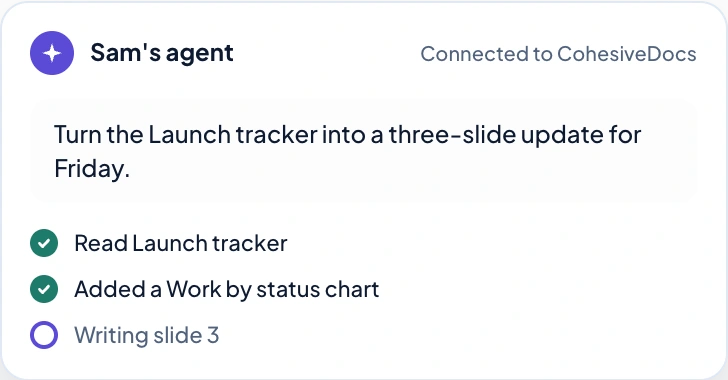
Connect an AI tool and it adds slides while you watch. It can only edit what you can edit.
Add elements from the Insert menu, then move, resize and style them directly on the slide.
Headlines, body and captions follow your deck style, so every slide reads the same.

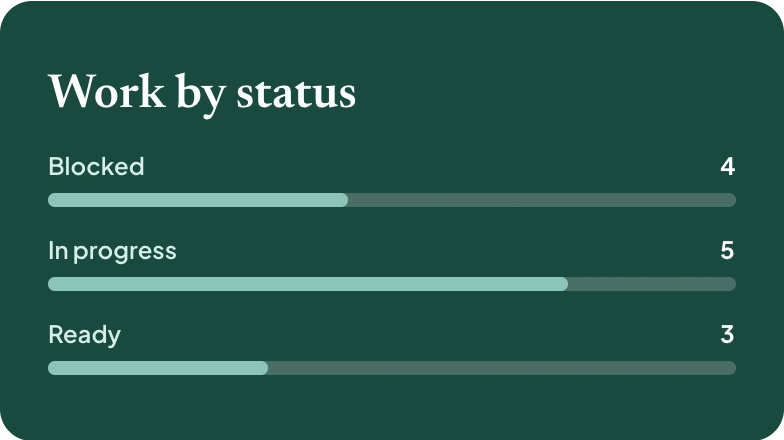
Bar, line and pie charts built from a collection, grouped the way you choose.
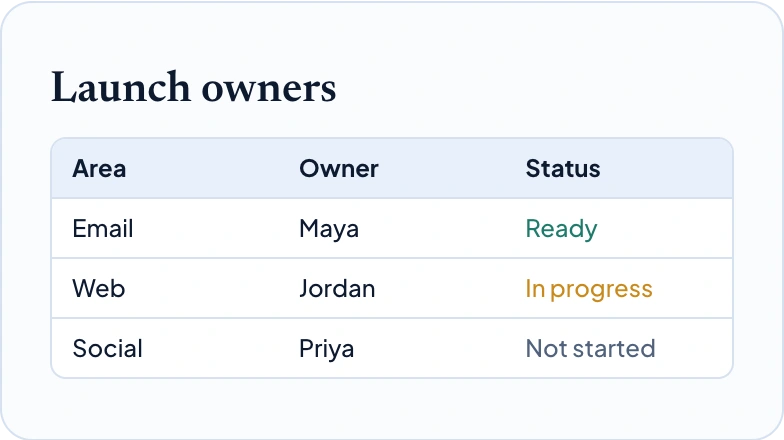
Show rows from a collection or type your own, with header styles that match the deck.
Pull a count or total from your records. It updates once you approve the change.

Fill a slide or place a picture, then crop it, round the corners and add a caption.

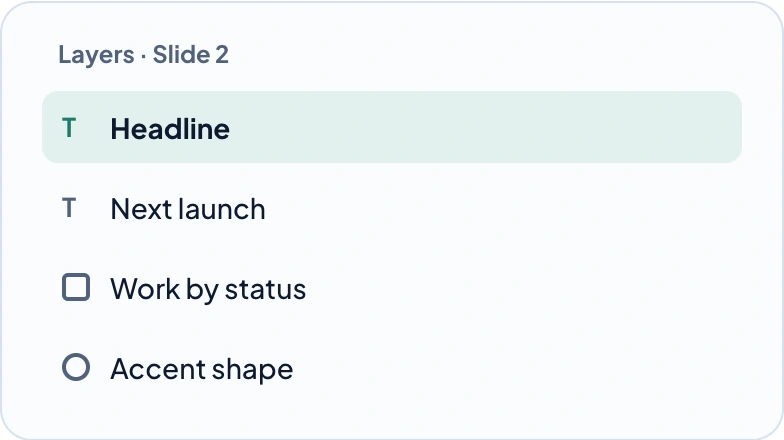
Select, reorder and align any element from the layers list, or add shapes for emphasis.
Start from a title, comparison or chart layout and fill it in.
Show numbers clearly, linked to the records they come from.
Pin a comment to a layer so feedback lands on the right element.
Ask a connected agent to draft slides, then review what it added.
Set fonts and colours once and every slide follows.
Send a copy to anyone, even if they do not use CohesiveDocs.